
Are Mechanical Keyboards Noisy? Causes and Tips to Reduce Resonance
Mechanical keyboards often have an image of being noisy. Reasons for the noise and ways to reduce it are summarized.
Modified at: 2025.7.14Posted at: 2023.5.29
Reasons Why Mechanical Keyboards Are Noisy
When typing on a mechanical keyboard, there are mainly three types of sounds produced.
- Switch sound
- Keycap resonance
- Sound when the switch bottoms out
You can understand this by pressing the keys of a mechanical keyboard slowly. If you slowly press down a key, you will first hear a small "click" sound when the key switch is activated. If you continue to press the key, you will hear the sound of the switch bottoming out. This bottoming-out sound not only resonates with the base plate but also with the keycap, making the typing sound seem louder.
On the other hand, in keyboards other than mechanical keyboards, there are no key switches, so there is no switch sound, and since there are no switches, the bottoming-out sound is not loud either. If the keycaps are thin, the resonance sound is also small, so compared to mechanical keyboards, the sound seems quieter.
In other words, mechanical keyboards have more elements that produce sound than other keyboards, and these various elements combine to make the sound louder, which is why mechanical keyboards are said to be "noisy."
Not All Mechanical Keyboards Are Noisy
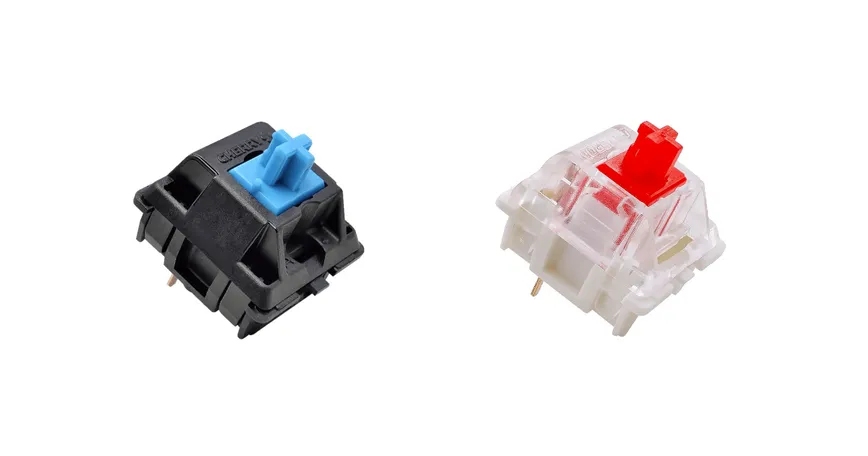
When it comes to mechanical keyboards, the most common products on the market are the noisy "blue switches" and the relatively quiet "red switches," but since the general image of a mechanical keyboard is often based on blue switches, there may be an impression that "mechanical keyboards are noisy."
However, if you actually use quiet switches such as red switches, silent red switches, or silver switches, you may find that they are actually quieter than other keyboards like membrane keyboards.
In short, the noise level of a mechanical keyboard can vary greatly depending on which switch type you choose, and if you select a quiet switch, it won't be noisy at all.
Ways to Reduce Resonance in Mechanical Keyboards
Use "Feather Touch" Typing
Typing without bottoming out is called "feather touch" typing. Basically, you press the key down only to the point where the switch is activated, without bottoming out, and this alone can significantly reduce typing noise.
"Feather touch" typing can feel awkward until you get used to it, and there is the disadvantage that the typing feel is less pronounced.
Install Silencing Rings
A common method to reduce the noise of mechanical keyboards is to install silencing rings.
Silencing rings are accessories that attach a rubber ring to the switch stem to prevent the switch from bottoming out, and since they can be purchased for about 1,000 yen, you can reduce resonance at a low cost.