
Shortcut Keys and Key Bindings Summary for the Popular Game Rust
Here is a summary of shortcut keys and key bindings for the popular game Rust.
Posted at: 2024.6.12
Table Of Contents
Avatar Controls
First, here are the basic avatar controls for Rust.
The key bindings are almost identical to standard FPS games, so if you're used to FPS titles, you should have no trouble adapting.
| Action | Shortcut / Key Binding |
|---|---|
| Move Forward | W |
| Move Left | S |
| Move Backward | A |
| Move Right | D |
| Sprint | Left Shift |
| Crouch | Left Ctrl |
| Jump | Space |
| Primary Attack | Left Click |
| Secondary Attack | Right Click |
| Use | E |
| Reload | R |
| Free Look | Left Alt |
| Toggle Flashlight | F |
| Voice Chat | V |
| Chat | Enter |
| Gesture | B |
| Change Vehicle Seat | X |
| Compass | C |
| Open Map | G |
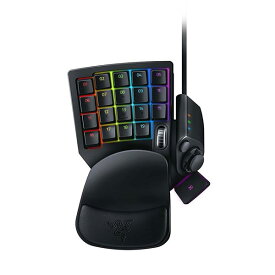
If you want more comfort, or if you have smaller hands (such as women or children), using a left-hand device like the Razer Tartarus is a great option. You can play using just the mouse and left-hand device, which is also space-saving for laptop users.
Inventory
Next, inventory controls are essential for handling materials and weapons in Rust's survival life.
These keys are especially important for building and crafting, so learn them to speed up your gameplay.
| Action | Shortcut / Key Binding |
|---|---|
| Toggle Inventory | Tab |
| Toggle Crafting | Q |
| Slot 1 | 1 |
| Slot 2 | 2 |
| Slot 3 | 3 |
| Slot 4 | 4 |
| Slot 5 | 5 |
| Slot 6 | 6 |
| Holster Item | 7 |
| Next Slot | Mouse Wheel Down |
| Previous Slot | Mouse Wheel Up |
| Drop Item (Single) | |
| Drop Item (Stack) | |
| Hover Loot | H |
Instruments
One unique feature in Rust is musical instruments, available via DLC. Playing instruments requires knowing the key binds, and while it takes practice, it's fun once you get the hang of it.
| Action | Shortcut / Key Binding |
|---|---|
| A Note | Numpad 6 |
| A# Note | |
| G Note | Numpad 5 |
| G# Note | |
| C Note | Numpad 1 |
| C# Note | |
| D Note | Numpad 2 |
| D# Note | |
| E Note | Numpad 3 |
| E# Note | |
| F Note | Numpad 4 |
| F# Note | |
| B Note | Numpad 7 |
| B# Note | |
| Sharp Note | Numpad + |
| Octave Up | Numpad Enter |